© Marc St-Jacques
Land records hold interesting information for genealogists and historians and it is possible to search the historical records for a specific location in Ontario. Here is how to procede.
1. Connect to your account (if you don’t have an account you’ll need to create one).
2. Search for the closest Land Registry Office for the location you are interested in.
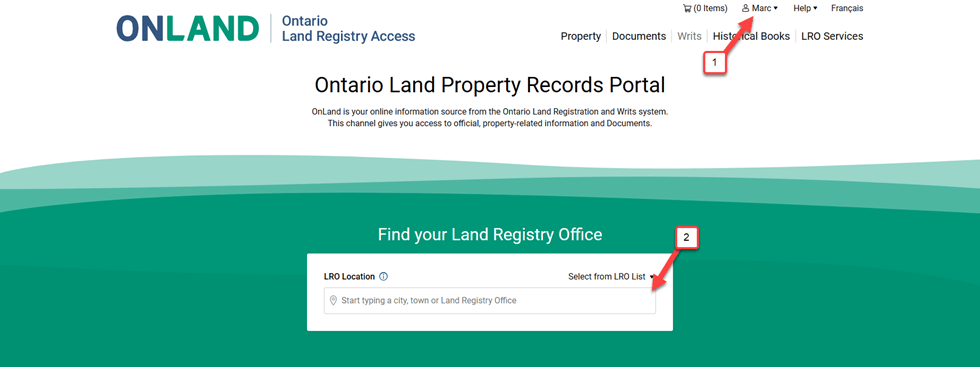
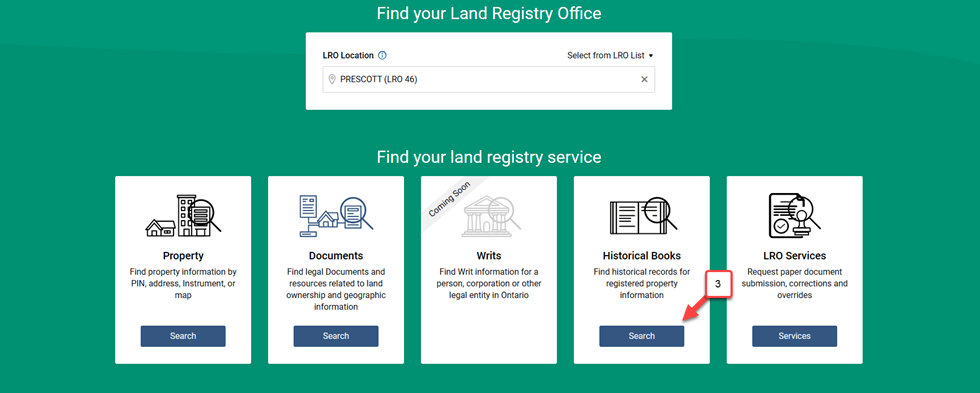
3. Select Historical Books
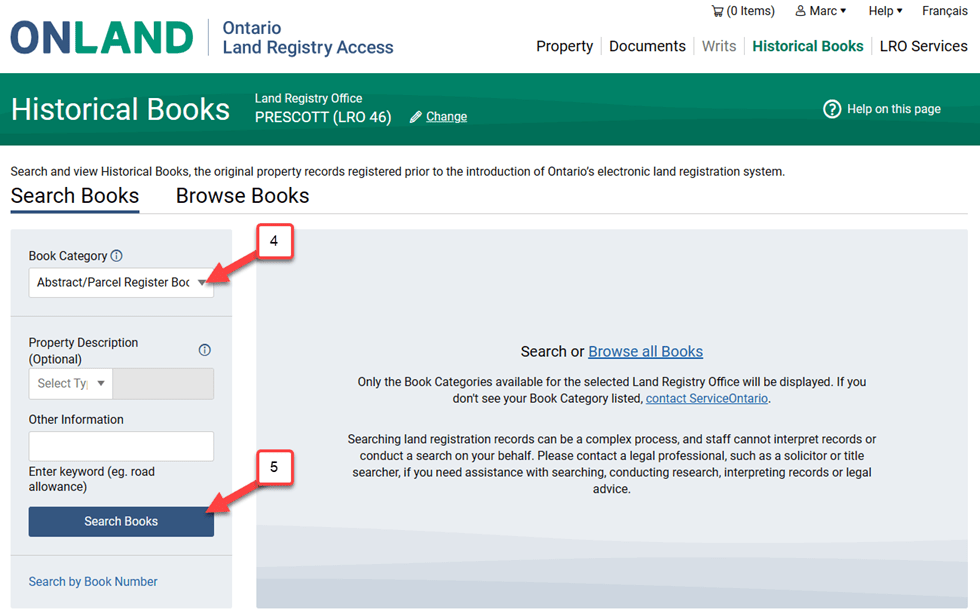
4. Select Abstract/Parcel Register Book
5. Click the Search Books Button
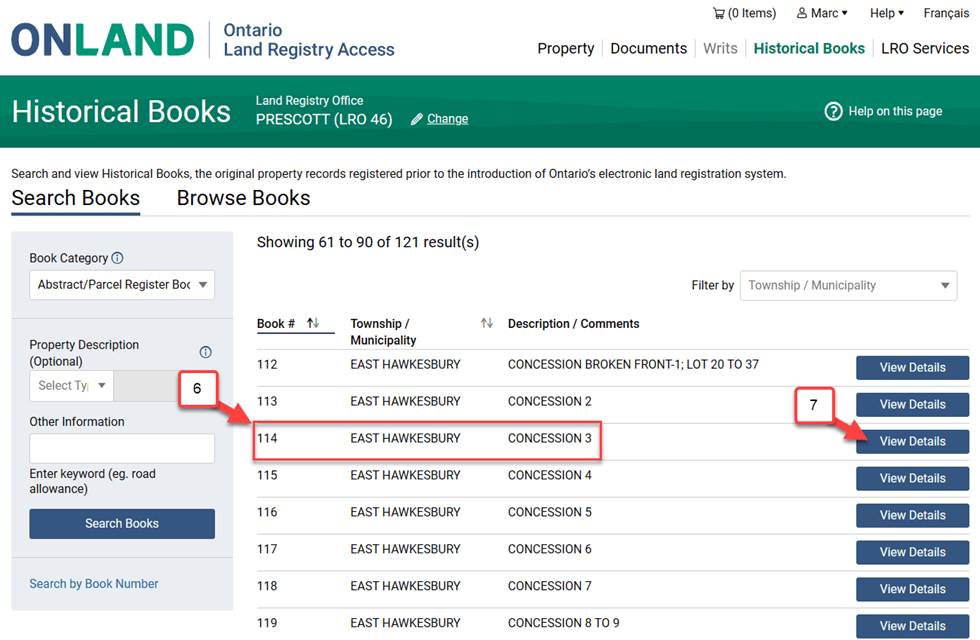
6. Find the book that fits what you are interested in according to the township and description.
7. Click on the View Details Button.
8. Browse page by page.
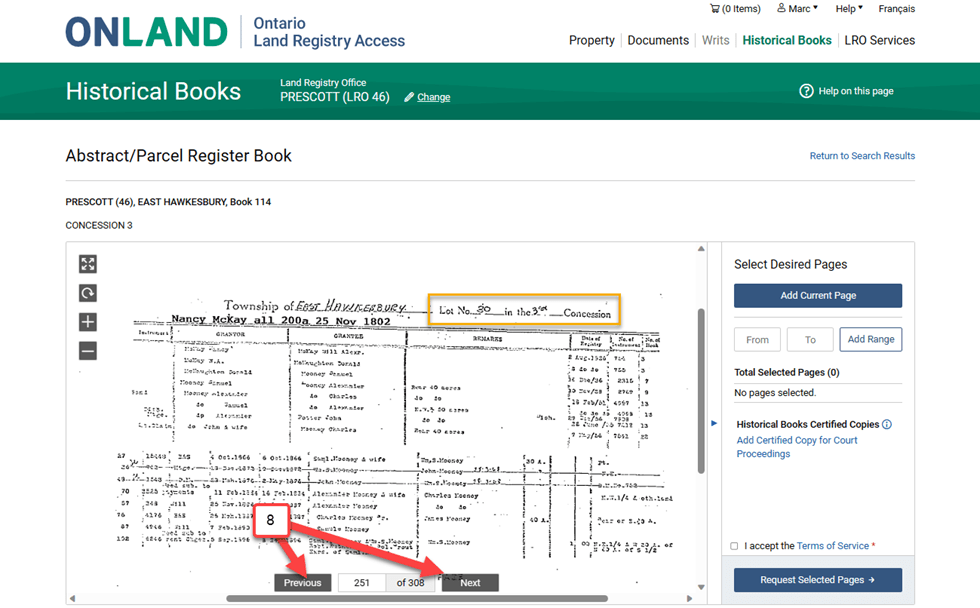
Note that the Lot number is usually indicated in the top of each page. The pages for a lot are usually arranged chronologically. Sometimes, you will find half of the lot first, followed by the second half.
 Following my ancestors' footsteps