© Marc St-Jacques
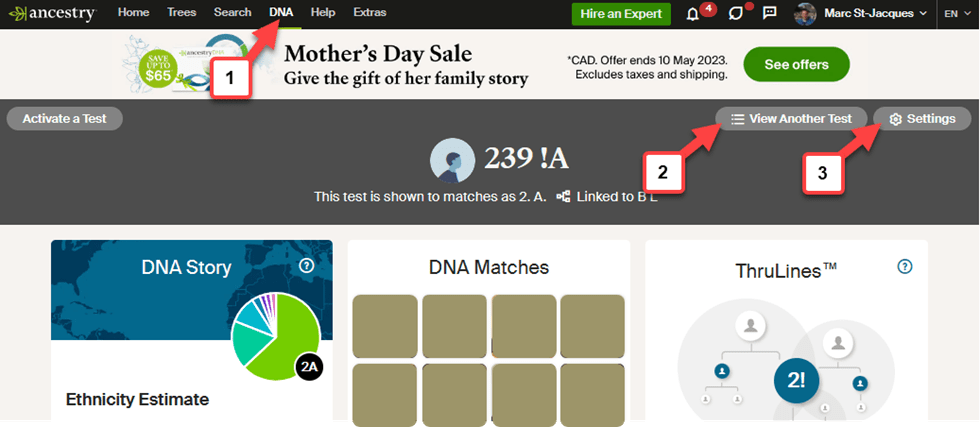
1. In Ancestry, click on the DNA link in the top black menu. This will bring you to the DNA page.
2. If you manage multiple kit, select the DNA kit you wish to share.
3. Click on the Settings button of the DNA kit you wish to share.
4. From the DNA Setting page, go to the Visibility and sharing box
5. Click on the DNA test sharing item.

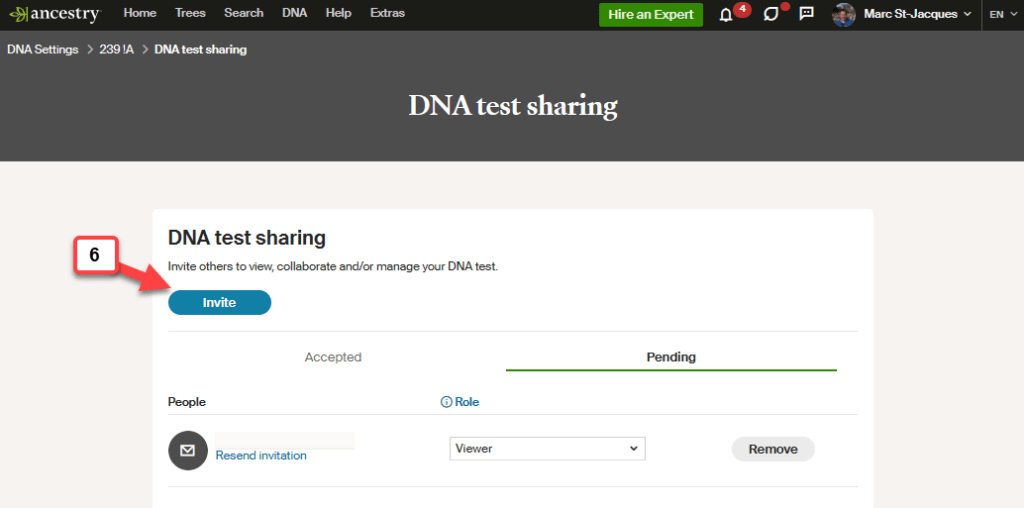
6. From here click on the Invite button.
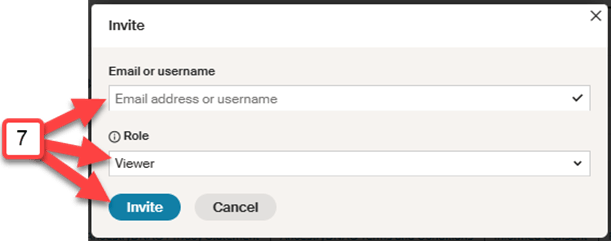
7. You will need to put the email of the person you wish to share your results with and select the role they will have. The last step is to press the Invite button and you are done!
Here is what Ancestry has to say about the roles
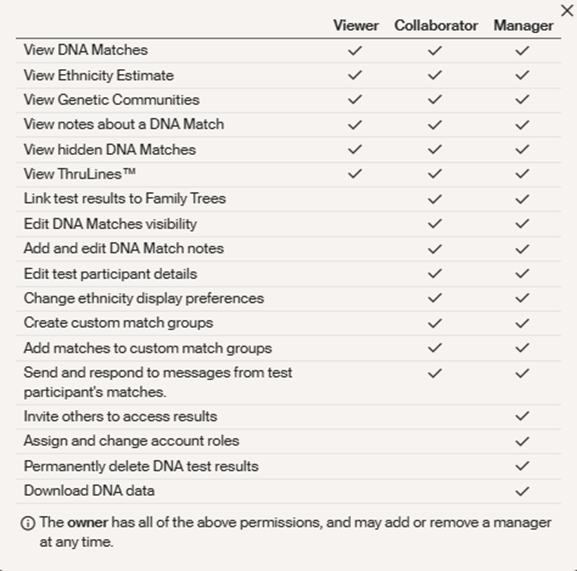
Basically, If you simply wish to share your DNA results with family, friends or other genealogists, the Viewer Role is probably the best to give.
If you are working on a particular project with other genealogists that might give you a hand, you might consider giving them the Collaborator Role. They can take advantage of other functionalities such as tagging your match, adding notes, linking your DNA to a different tree which could be part of a research strategy they would certainly gladly explain.
Note that the access to a tree and to the DNA results are managed separately in Ancestry.
 Following my ancestors' footsteps